
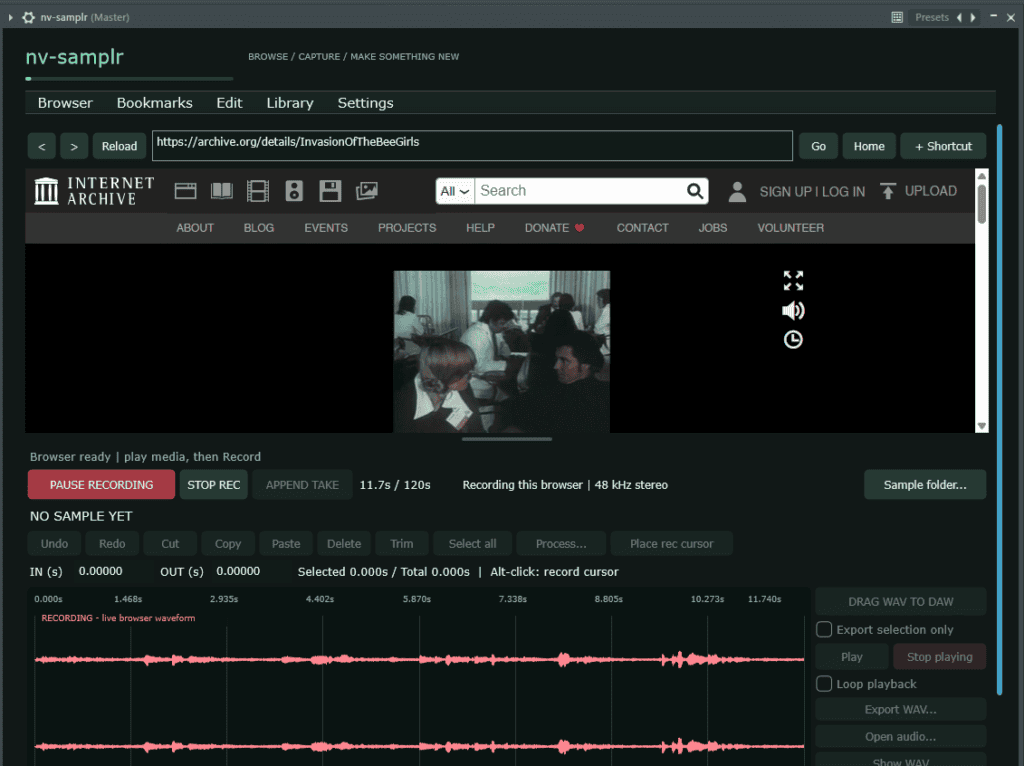
nv-samplr is a free VST3 instrument and standalone application from skaterbate that brings web browsing, audio recording and sample editing into one workspace.
Browse to a media page using the built-in browser, record the audio you want, then edit and play it without switching between several applications. When your sample is ready, export it as a WAV or drag it into a compatible DAW.
Download nv-samplr v1.0.1 for Windows
From browser audio to a usable sample
Recording audio from a website often involves several steps: routing your computer’s output, opening a separate recorder, finding the saved file and importing it into your project.
nv-samplr simplifies that process by capturing audio from its own embedded browser. You can browse, record, trim and export from inside the plugin, keeping your sampling workflow close to the music you’re making.
It is useful for collecting drum breaks, spoken phrases, textures, sound effects and other material you have permission to sample.
What nv-samplr does
Record audio from the built-in browser
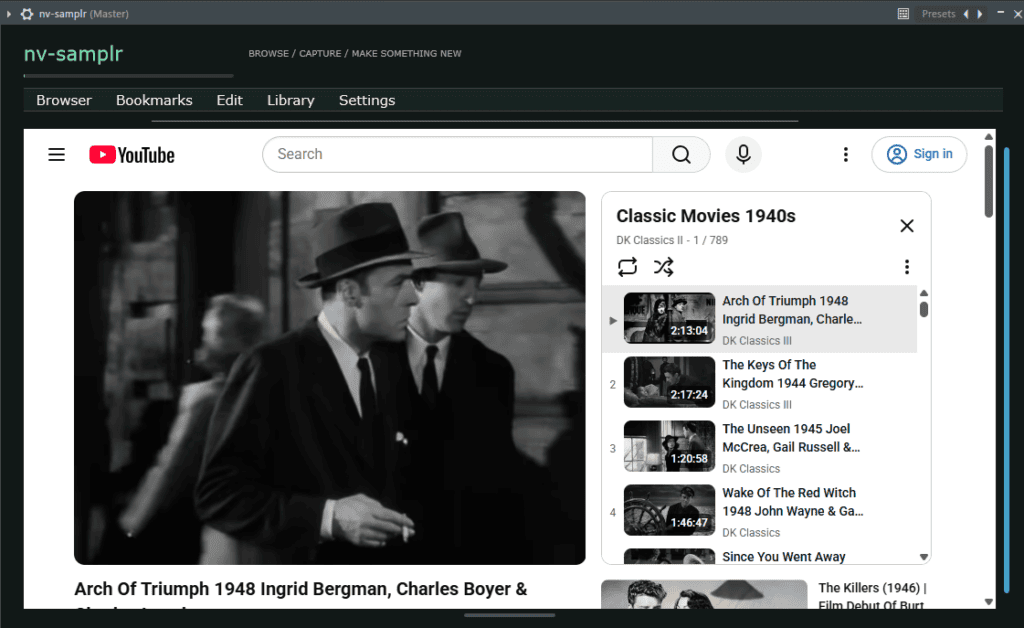
Navigate to a media page, start playback and press Record at cursor. A live waveform provides visual feedback as audio is captured.
The recorder targets the plugin’s browser process, helping you capture browser playback without recording your entire DAW mix or unrelated system audio.
Pause, edit and continue recording
Pause a recording to work on the captured audio without ending the session. Trim unwanted sections, make edits or preview the clip, then resume when you’re ready.
Use Place rec cursor to choose where the next recording should begin. New audio inserts at that position and shifts later audio forward, preserving the existing material. Append Take adds another recording to the end of the clip.
Edit samples directly in the waveform
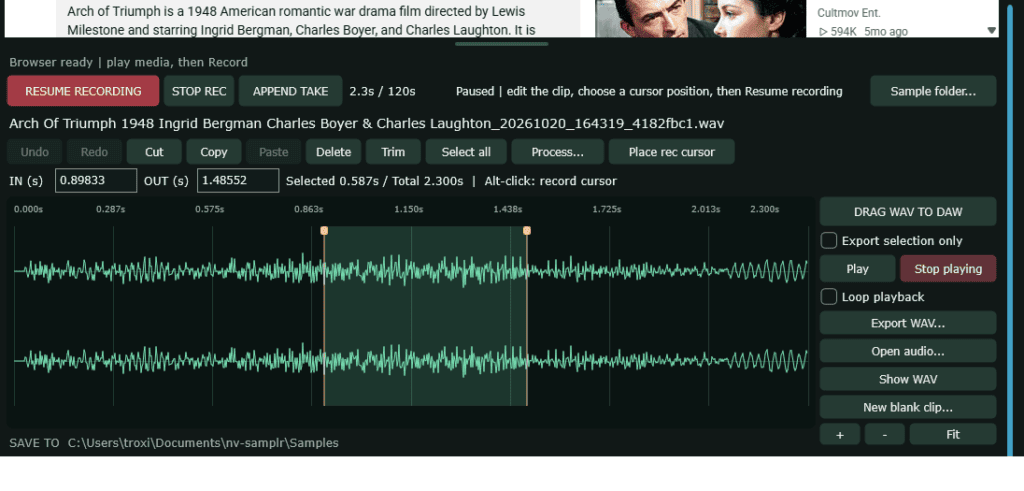
The built-in audio editor provides the tools needed to turn a recording into a usable sample:
- Adjustable start and end selection brackets.
- Waveform zoom and scrolling.
- Trim, cut, copy, paste and delete.
- Undo and redo.
- Normalize, reverse, fade in and fade out.
- Silence and gain adjustment.
Use New blank clip when you want to clear the editor and start another sample.
Preview, loop and play with MIDI
Play a selected region to check an edit, or enable looping to hear it repeatedly. With no region selected, loop playback repeats the entire clip.
nv-samplr also responds to MIDI. Note 60 plays the loaded sample at its original pitch, while other notes transpose it.
Export WAVs or drag samples into your DAW
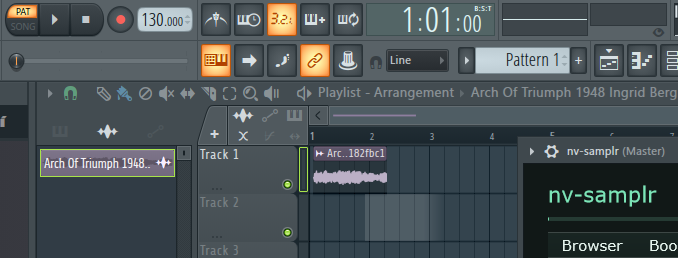
Export the complete edited clip or just the highlighted selection as a WAV file. You can also drag audio into compatible DAWs, making it straightforward to move from sampling to arranging.
Keep track of where your samples came from
A folder full of audio files can become difficult to navigate—and filenames alone rarely explain where a sound originated.
nv-samplr saves source-page information alongside new recordings. Its sample library lets you search titles, filenames and source URLs, reopen clips in the editor or return to their original pages.
The library uses paged browsing and searches metadata without loading every audio file, keeping large collections manageable.
Built around a practical sampling workflow
nv-samplr helps reduce the repeated steps between finding a sound and using it in a track. Its browser, recorder, editor and library address four common problems:
- Complicated audio routing: capture audio from the plugin’s own browser.
- Repeated importing and exporting: edit recordings in the same workspace before moving them into your arrangement.
- Disconnected recording sessions: pause, edit and add more audio to the current clip.
- Lost source references: retain page titles and URLs with your saved samples.
The browser and recording session also remain active when the plugin editor is hidden or reopened, provided the plugin instance stays loaded in your DAW.
Features at a glance
| Feature | Included |
|---|---|
| Plugin format | VST3 instrument |
| Standalone application | Yes |
| Platform | Windows x64 |
| Embedded web browser | Yes |
| Recording format | 48 kHz stereo |
| Maximum combined clip length | 120 seconds |
| Waveform editing | Yes |
| MIDI sample playback | Yes |
| Selection and whole-clip looping | Yes |
| WAV export | Full clip or selection |
| Sample library | Search, filters and paged browsing |
| Source-page references | Saved with new recordings |
| Appearance customization | Live JSON configuration |
System requirements
- Windows x64; Windows 11 recommended.
- Windows build 20348 or newer for browser audio capture.
- A VST3-compatible DAW to use the plugin version.
- Microsoft Edge WebView2 Evergreen Runtime.
- Microsoft Visual C++ v14 x64 Redistributable.
The download includes both the VST3 plugin and standalone application.
Installation
- Close your DAW and extract the downloaded ZIP.
- Copy the entire nv-samplr.vst3 folder from the package’s VST3 directory into:
C:\Program Files\Common Files\VST3 - Install the required Microsoft runtimes if they are missing.
- Open your DAW, rescan its plugins and load nv-samplr as an instrument.
To use the standalone version, run nv-samplr.exe from the package’s Standalone folder.
Before you download
nv-samplr is currently available for Windows x64 only. The binaries are unsigned, and installation is handled manually through the ZIP package.
Media playback and recording availability depend on the website, browser restrictions and any content protection in use. A saved source link does not grant permission to reuse copyrighted material; make sure you have the rights needed for your recordings and releases.
Download nv-samplr
Version: 1.0.1
Developer: skaterbate
Formats: VST3 and standalone
Platform: Windows x64
Download size: Approximately 6.4 MB
Price: Free